Tutors and teachers
Next month's lesson invoices, for every family at once
A made-up piano studio with six families bills November in advance: one spreadsheet, six numbered PDF invoices, about ten minutes. Here is how we would set it up, and why we would bill in advance at all.
First, an opinion: bill next month, not last month
Maple Lane Music Studio (made up, with its families) teaches piano to eight students from six families. Its teacher used to invoice at the end of each month for the lessons already given. We would not, and here is why.
- The cancellation policy becomes real. If November is paid on 1 November, a lesson cancelled the night before is a lesson already paid for. Billing afterwards turns every cancellation into a negotiation about whether to charge.
- Late payers stop being your problem. An invoice due before the first lesson of the month gets paid before the first lesson, or the family tells you why.
- Your income stops lagging by a month. Rent is paid in advance; there is no reason your lessons cannot be too.
So the invoices below are issued on 28 October, list each family’s November lessons by date, and are due a day or two before that family’s first lesson.
1. One spreadsheet, one row per line
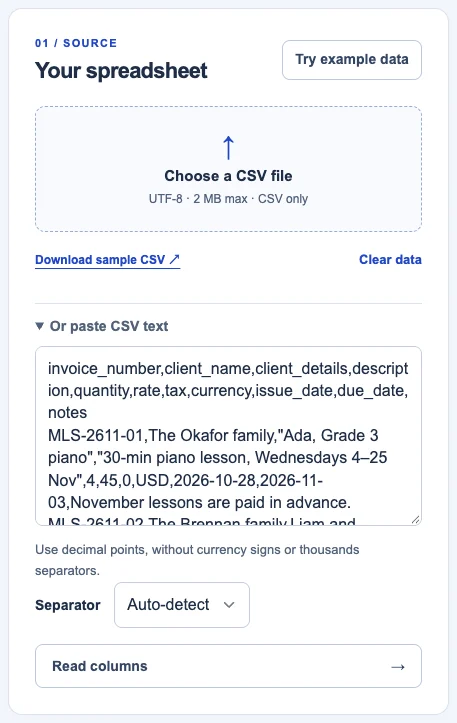
Each row is one line on an invoice. Rows with the same invoice number become one invoice, which is how two siblings end up on one bill for their parents. Repeat the client, currency and dates on every row of the same invoice.
| invoice_number | client_name | description | quantity | rate | due_date |
|---|---|---|---|---|---|
| MLS-2611-01 | The Okafor family | 30-min piano lesson, Wednesdays 4–25 Nov | 4 | 45 | 2026-11-03 |
| MLS-2611-02 | The Brennan family | 30-min piano lesson (Liam), Tuesdays 3–24 Nov | 4 | 45 | 2026-11-02 |
| MLS-2611-02 | The Brennan family | 30-min piano lesson (Maeve), Tuesdays 3–24 Nov | 4 | 45 | 2026-11-02 |
| MLS-2611-03 | The Nguyen family | 45-min piano lesson, Thursdays (no lesson 26 Nov) | 3 | 62 | 2026-11-04 |
| MLS-2611-03 | The Nguyen family | Grade 5 exam entry fee (passed on at cost) | 1 | 74 | 2026-11-04 |
The full file has eight rows and a few more columns (client details, currency, issue date, notes). Download the sample CSV and replace the families with yours.
Three small choices in that sheet do a lot of work:
- The dates are in the description. “Wednesdays 4–25 Nov” answers “which lessons is this for?” before anyone asks. When a lesson falls on a holiday, say so (“no lesson 26 Nov”) and bill one fewer.
- Pass-through costs are their own line, “at cost”. An exam fee you pay on the family’s behalf is not your income; showing it separately says so.
- The invoice number carries the month. MLS-2611-03 is the studio, November 2026, family 3. Next month the same family is MLS-2612-03. Every number is unique, you can see at a glance which month a payment belongs to, and the invoice number format guide explains why a scheme like this is easier to keep than a plain counter when you bill in batches.
2. Import it, and add what is the same on every invoice
Open batch invoices. Paste the CSV text or choose the file, then fill in the parts that are the same for everyone: your studio’s name and address, how to pay, currency, paper and design. Save business on this device remembers them for next month.
3. Match the columns
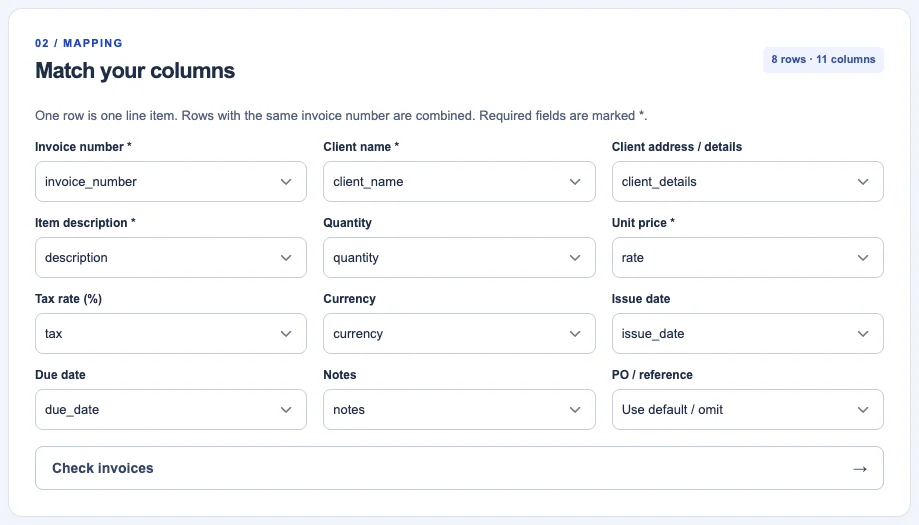
Billpad reads the first row and matches columns with familiar names automatically. Check the matches, map anything it did not recognise, and choose Check invoices.
4. Check the run before anything is made
The check step is the reason to use a batch tool instead of copying an invoice six times. It groups the rows into invoices, totals each one, and flags anything inconsistent (two different due dates on one invoice, a price written as “$45”, a missing client name) before a single PDF exists.
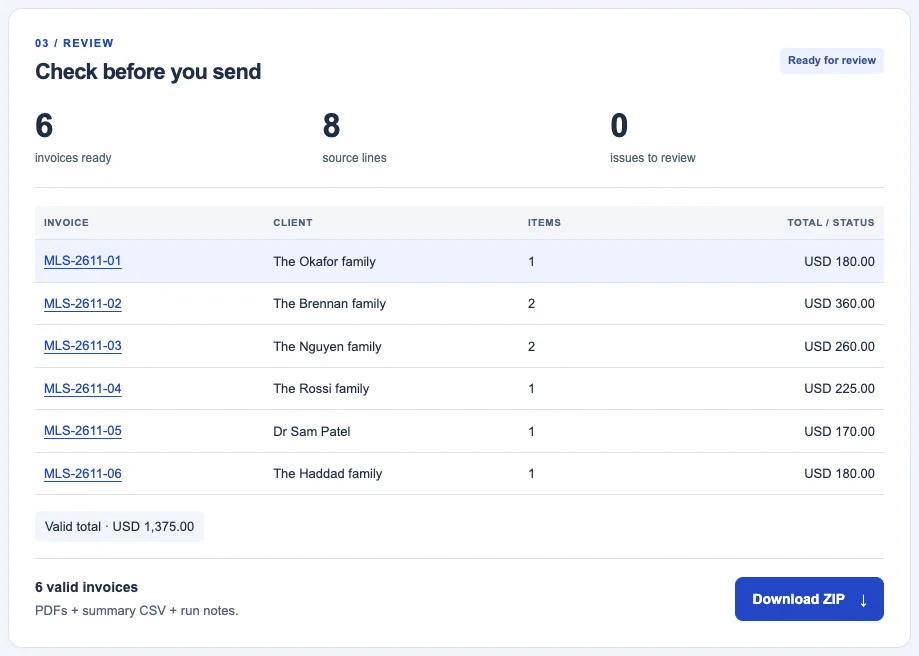
Compare that total with what you expect to bill before you go further. For this studio, 26 lessons and one exam fee should come to $1,375. If the number surprises you, a row is wrong.
5. Preview one, then download them all
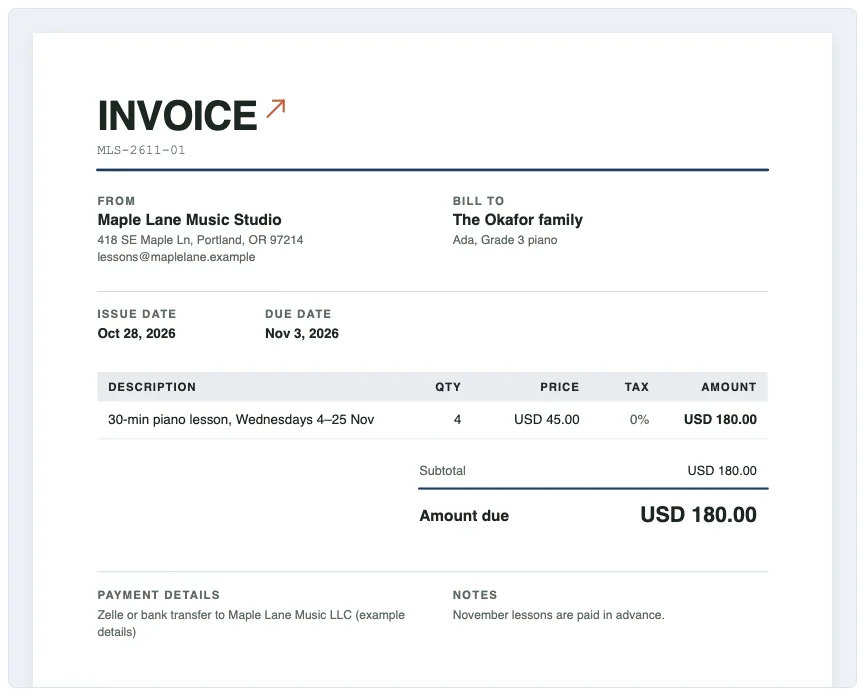
Download ZIP gives you one PDF per family, a summary CSV of the run and a short note of what was made. Email each family its PDF, and put the summary CSV next to your bank statement: when payments come in, you tick them off against it.
The limits are generous for a studio or a tutoring business: up to 200 invoices and 2,000 rows per run, 60 lines per invoice, and a 2 MB CSV. It is free and needs no account. It does not send the emails for you; you send the PDFs yourself.
Next month in five minutes
Copy the sheet, change “11” to “12” in the invoice numbers, update the dates and lesson counts, and run it again. Your business details are already saved on this device.
Open batch invoices Open the tutoring invoice for one family
Billing one family at a time instead? The tutoring invoice template has lessons by date, marking and a late-cancellation line. For the due date itself, payment terms explained covers “due on receipt” and fixed dates.
Updated 28 October 2026. Screenshots taken in Billpad on that day; every person, company, number and bank detail in them is made up. General information, not legal or tax advice. Spotted an error or an outdated rule? Contact us. About Billpad.